This Black Friday, the best tech deals may not be in the “new arrivals” section. From open-box laptops to certified refurbished smartphones, buying used tech can save hundreds of dollars without sacrificing quality.
The key is knowing the categories of used tech and learning what to inspect before you buy. With a little research and a careful eye, you can score a great deal while giving perfectly good technology a second life.

What are the differences?
Before shopping for pre-owned tech, it helps to understand the common categories and what they mean for price, condition, and warranty.
Open box
These items were previously purchased and returned, or a store display unit. They usually have little or no wear and often include the manufacturer's warranty. Expect discounts of 15–30% off the current new price. Check for missing accessories and confirm the warranty transfers.
Refurbished
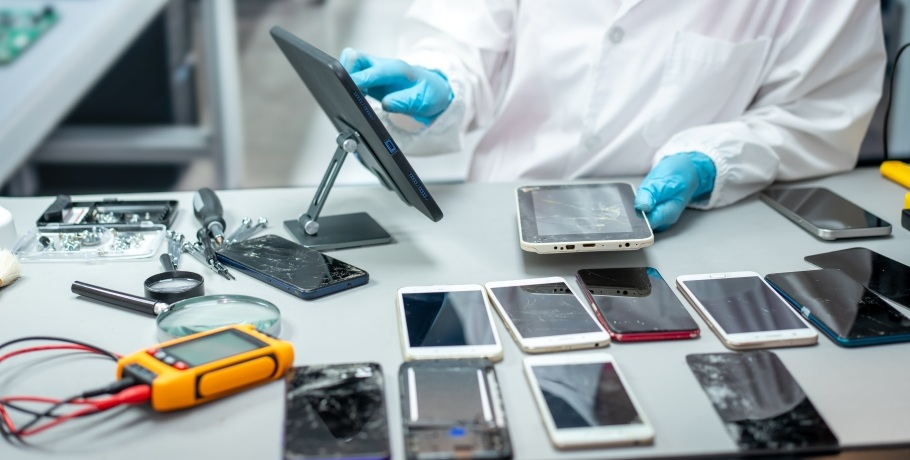
A refurbished item has been used or purchased and then repaired, restored, cleaned, and tested for resale.
- Certified or manufacturer refurbished: These items are refurbished and certified by the original manufacturer. Devices are repaired, cleaned, tested, and often include a new battery, outer shell, and accessories. Warranties are typically comparable to new products, though some exceptions exist. Discounts are usually modest.
- Retailer refurbished: These items are refurbished through a retailer or marketplace program, often with condition grades and battery standards. Warranties and refurbishment processes vary, so review the program details carefully.
- Seller refurbished: Refurbished according to the seller's own standards, which can range from extensive testing to a simple factory reset. Warranties are uncommon, but discounts can be significant.
Certified pre-owned (carrier or brand)
This type of certification is common on mobile devices and implies an inspection against a checklist. Standards vary by carrier and brand. Warranties are often around 90 days, with prices typically 15–20% below new, plus additional depreciation based on age. Be sure to ask what their checklist covers for certification.
Like new / used
"Like new" has no standard definition, while "used" is generally sold as-is by the owner. These options often offer the deepest discounts but also the highest risk. Ask for photos, battery health information, and the reason for sale before buying.

Local places to shop
There are plenty of local stores in and around Hennepin County that sell used tech. Check the Choose to Reuse directory for more options. Here are a few examples:
- Best Buy Outlet in Eden Prairie: Open-box (Geek Squad-graded) and clearance electronics, TVs, appliances and computers, advertised at up to 40–50% off; refurbished and pre-owned items are online-only. Outlet purchases carry Best Buy’s return and warranty coverage.
- Micro Center in St. Louis Park: Open-box computers, Apple products, components, electronics and gaming gear, frequently with the manufacturer’s warranty. The best deals are in-store only.
- Repowered in St. Paul: Nonprofit refurbisher and retailer of computers, phones and tablets, game consoles, monitors and TVs, audio gear, and vintage electronics. Computers carry a one-year warranty extendable to two. Refurbished tech is about 70% cheaper than new.
- Device Pitstop in Maple Grove: Buys, sells, trades, repairs and recycles used smartphones, computers and tablets.
- Free Geek Twin Cities: Buys, sells, repairs and recycles pre-owned computers and accessories, home entertainment equipment, mobile devices, office electronics, and gaming devices.
- GameStop: Sells pre-owned consoles, games, gaming accessories, and pre-owned electronics.
You can also check out local pawn shops to see what pre-owned electronics and accessories they are selling, local gaming stores, or local record shops for pre-owned record players, turntables, speakers, and accessories.
What to check, category by category
Phones
Always perform a quick five-minute test by checking the screen, Face ID or fingerprint reader, both cameras, speaker and microphone, Wi-Fi, Bluetooth, calling functionality, and charging to ensure everything works properly.
- Battery. Pass on anything under 80%. Apple and Samsung refurbished phones come with a new battery.
- Locks. Find My Device (or the Android equivalent) must be turned off. The phone should ask for a new account when it starts up. If it doesn’t, don’t buy it.
- Stolen or blocked. Run the IMEI through CTIA’s free Stolen Phone Checker and make sure the phone is unlocked for your carrier.
- Parts. On an iPhone, Settings > General > About > Parts and Service History should say “Genuine.” “Unknown” means a non-Apple part.
- Years of updates left. Updates run from the model’s launch date, not the day you buy it, which is typically 6-8 years. Phones that stop getting updates can lose banking apps.
Laptops
Give the laptop a hands-on test by opening and closing the lid, pressing every key, using the trackpad, checking all ports, connecting to Wi-Fi and Bluetooth, looking for dead pixels, and testing the webcam and speakers.
- Windows 11 or newer. Free security patches run through October 2027 for enrolled PCs, but a laptop that can’t run Windows 11 is a short-term buy. Microsoft’s free PC Health Check app gives a yes-or-no answer.
- Windows 11 basics. Roughly an Intel 8th-gen or AMD Ryzen 2000 processor or newer, TPM 2.0 and Secure Boot. For everyday use, look for 8 GB of RAM (16 GB is better) and a 256 GB SSD.
- Battery. On Windows, run “powercfg /batteryreport” and compare full-charge capacity to design capacity. On a Mac, check maximum capacity in Battery settings. Under 80% means a replacement is coming.
- License. Confirm Windows is activated and up to date.
- Warranty. Expect one year from the maker or a reputable refurbisher plus a return window. 90 days is the minimum worth accepting.
Game consoles
Run a demanding game for 20 to 30 minutes to check performance and listen for warning signs such as loud grinding noises, a fan running at full speed from the menu, or unexpected shutdowns. Test the controllers by letting the thumbsticks rest to check for stick drift and by pressing every button and trigger to ensure they respond properly.
- Official refurbished is limited. Microsoft sells refurbished Xbox consoles with a 90-day warranty; Nintendo sells refurbished Switch consoles with a one-year warranty.
- Disc drive and ports. Load a disc and make sure it reads. The PS5 Digital Edition and Xbox Series S have no disc drive, so a disc bundled with one is a red flag. Test every HDMI and USB port and check a Switch’s USB-C port for bending or corrosion.
- Accounts. The seller must factory-reset the console and unlink their account. It should ask for a new account when it starts up. Switch games stored on a microSD card won’t work without the original account.
Televisions
Turn the TV on and inspect the screen for dead or stuck pixels, dark spots, uneven brightness, flickering, and, on OLED models, signs of burn-in. Some manufacturers also include built-in pixel testing tools that can help identify display issues.
- Open-box beats refurbished in TVs. Open-box TVs are plentiful and usually keep the manufacturer’s warranty. Refurbished TVs are rarer, often missing remotes or stand parts, and can be damaged in re-boxing.
- Buy a recent model. Manufacturer warranties are typically one year, and some makers shorten or void them on refurbished units.
- Ports and apps. Test every HDMI port and confirm HDMI 2.1 if 4K gaming at 120 Hz matters. Make sure the smart platform still gets updates and runs the apps you use.
- Make sure everything is in the box. Remote, stand or legs with screws, and power cord. Anything missing should mean a bigger discount.
- Return window. Open-box and refurbished windows run anywhere from 15 to 90 days.
If you need to dispose of your existing electronics while you look for something new-to-you, check out the article Digital declutter: How to sell and donate your tech responsibly.